 Xiandou Home
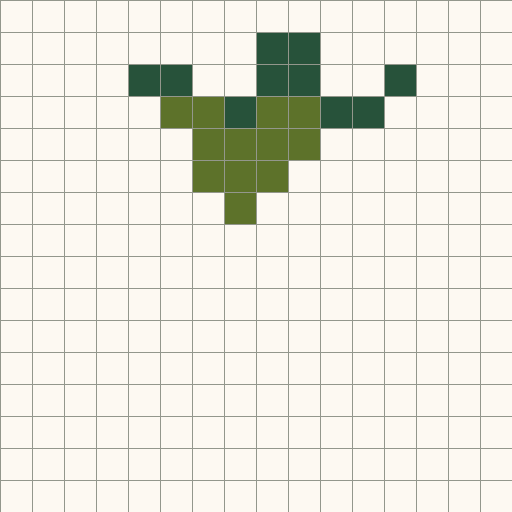
1Place the leaves
Start without a source image. Choose Free Create in the creation tools, then use the brush to place each bead on the canvas.
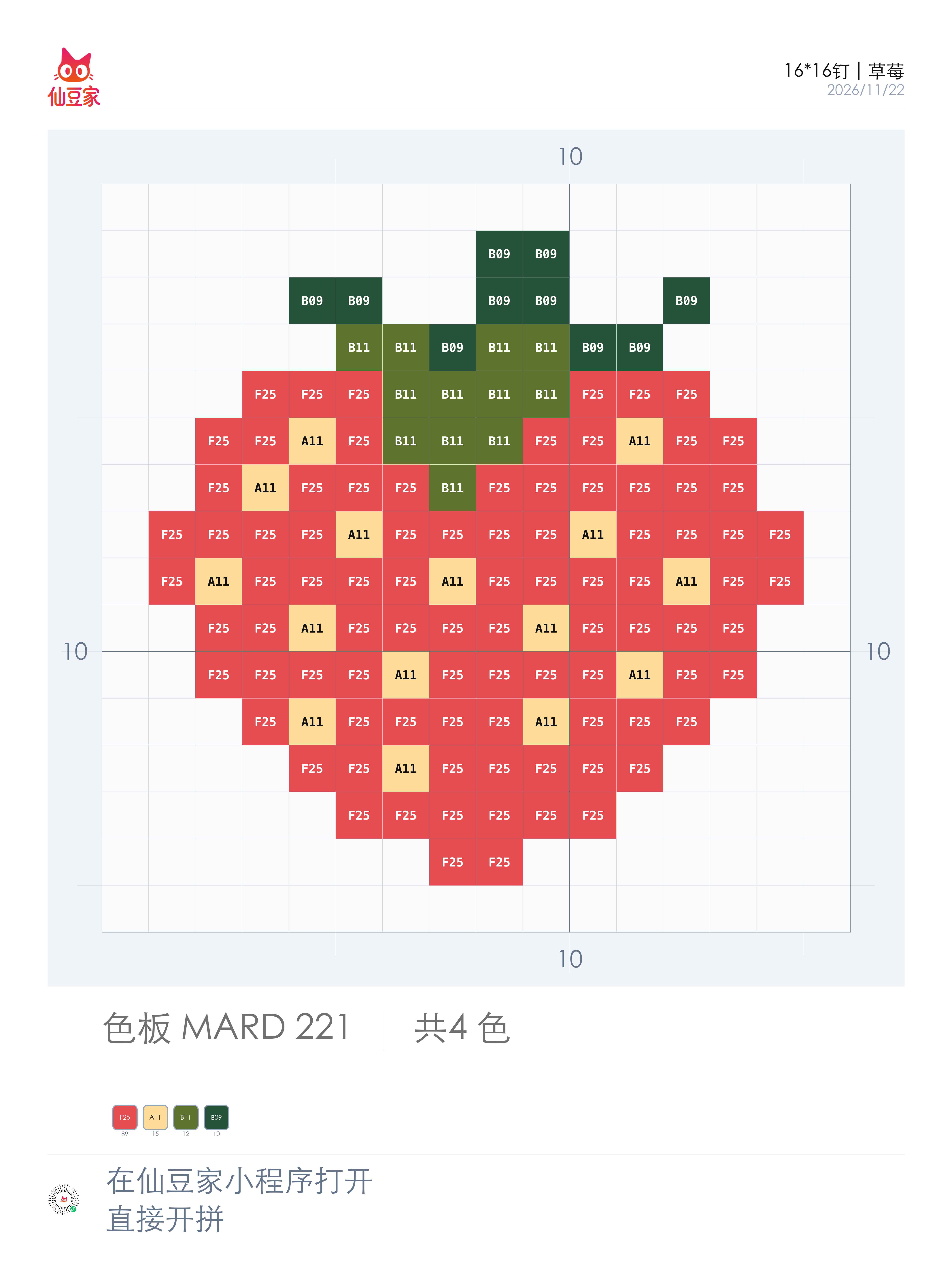
Open free drawing and set aside a 16 × 16 area of the blank canvas. Follow the green cells in the example, leaving the tips pointing upward. Use 10 B09 cells and 12 B11 cells.
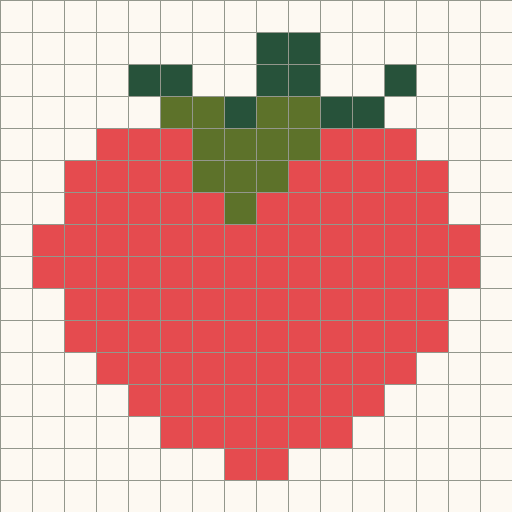
2Shape the red fruit
Start under the leaves with F25. Widen the fruit near the shoulders, then bring the sides closer together down the grid. Leave two red cells at the bottom tip and fill the interior.
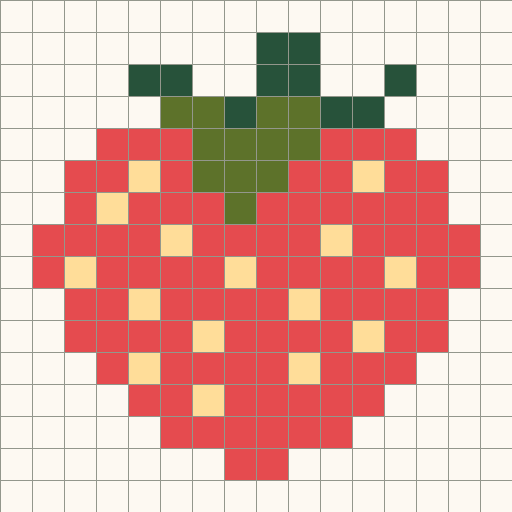
3Change 15 red cells into seeds
Replace 15 scattered red cells with A11. Stagger their positions between rows. To fix a misplaced seed, paint that cell red again. Erase any bead placed outside the fruit.
4Save and reopen the work
Save your strawberry, then reopen it from your works. Look at the leaf tips, fruit tip and scattered seeds. The downloadable example covers the 16 × 16 area used here.